To download and add SIS data to your Outlook calendar follow these steps:
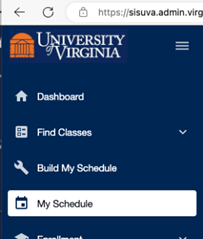
1. Go to UVA’s SIS at 3. Select “My Schedule” from the toolbar at left of the web page
4. Click link to the upper right for “Download (.ics)”. • Download the calendar file for your classes for the selected semester. |

An updated version needs to be downloaded each semester, and may need to be re-downloaded if major changes are made to your schedule.
What about Academic Holidays? HR has you covered, check out their instructional pdf
The Academic calendar can also be downloaded - select the option that that fits your needs.
If you have any issues, consider calling 434-924-HELP (fastest response)
or emailing [email protected] (4hr SLA)